

The system allows the user to request for ‘Form 130 (16)’ from TRACES containing data for generating TDS Certificate through TDSMAN Online interface. In order to do this, click on >Request for Form 130 (16)< under >TRACES<
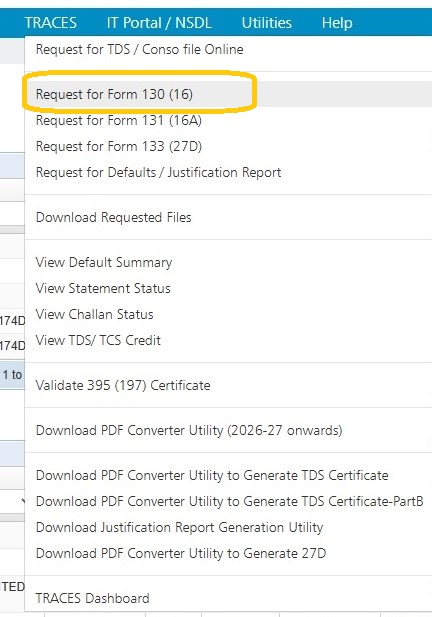
Following screen will appear:
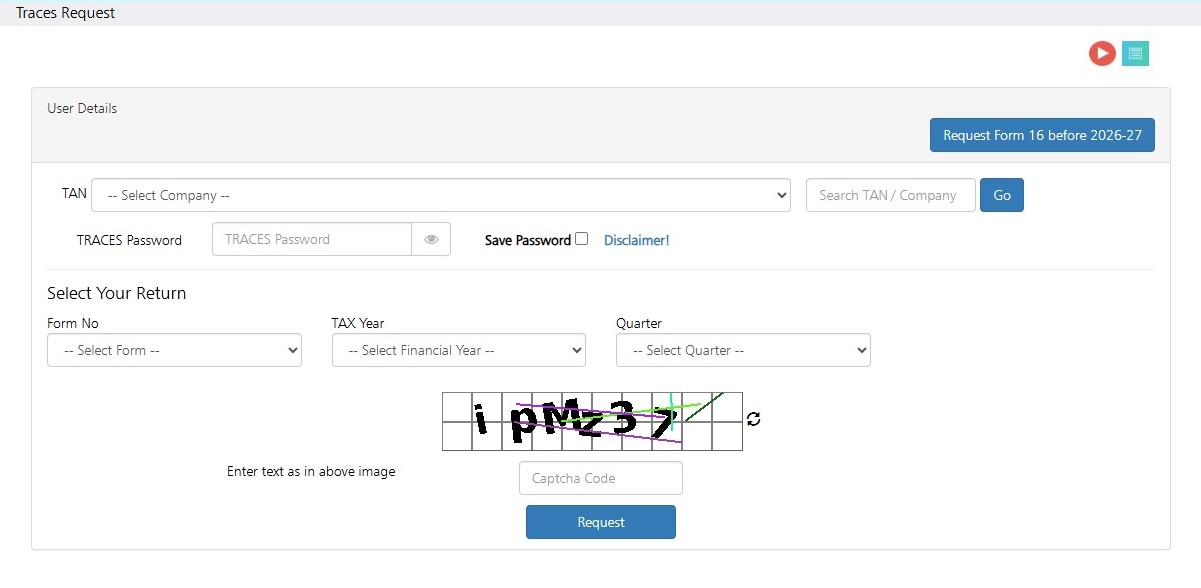
Enter User Details: Select your TAN by selecting the Company from the dropdown list
Enter the Traces Password
Select Your Return: Select the details of the Return i.e. Tax Year, Form No. and Quarter for which the form needs to be downloaded.
Enter the text as in above image: Enter the Captcha Code and Click on “Request” button.
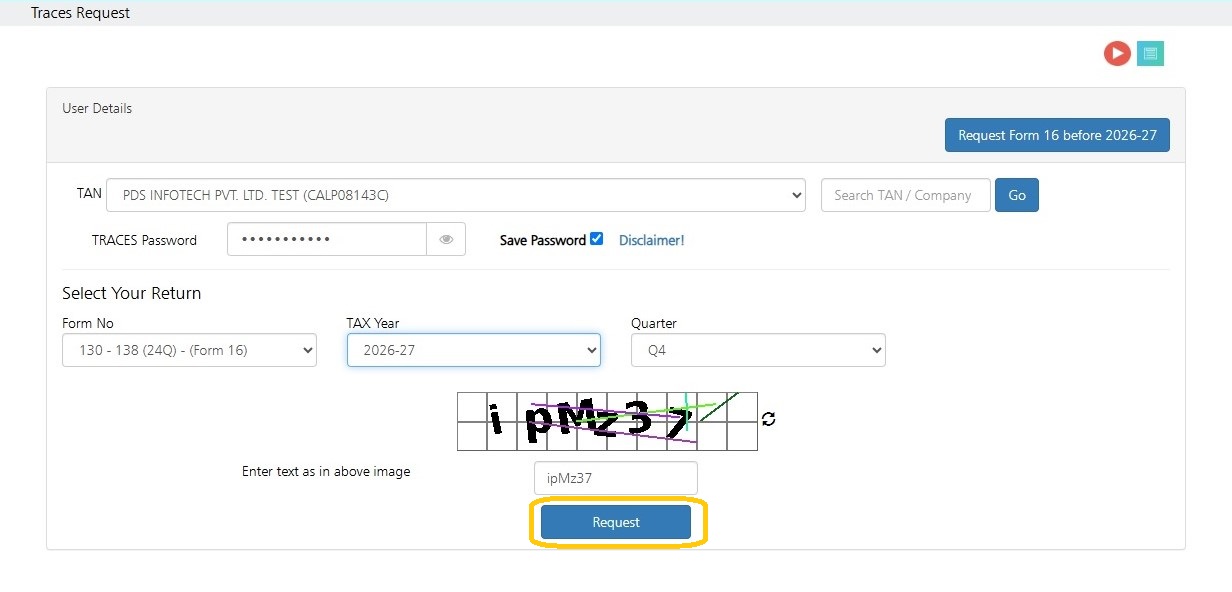
The file will download automatically and Following screen will appear :
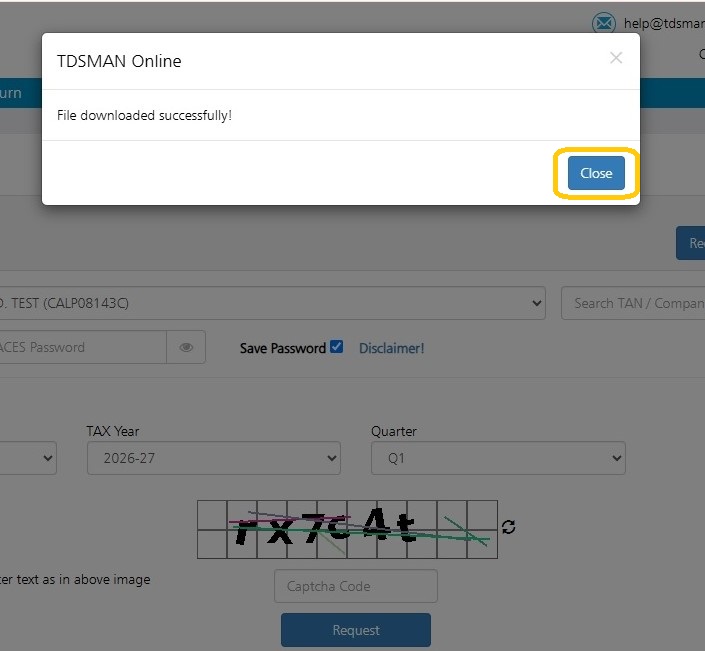
Click on “Close”
Need more help with this?
TDSMAN Online - Support